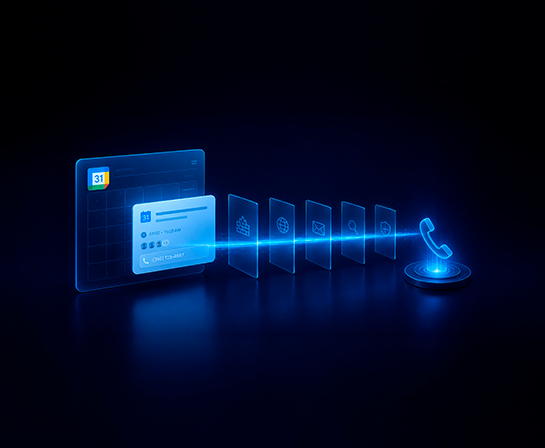
On March 17, 2026, an attacker registered a fresh domain, opened a Google Workspace account, and sent a Google Calendar invite to an employee at a mid-size technology company. The invite described a $399.77 software charge and asked the recipient to call a toll-free number to dispute it. There was no link to click, no attachment to open, and DKIM passed because Google signed the message. This is calendar invite phishing in its most distilled form, and it bypasses every layer of the modern email defense stack. The only layer that sees it is the person reading the invite.
Introduction
The attack arrived on a Tuesday afternoon and looked, at a glance, like every other Google Calendar invite the recipient had received that week. A subscription charge for a product called "CoreDefense Plus." A reference number. A toll-free number to call if the charge was unauthorized. Every link in the email resolved to calendar.google.com. The .ics attachment had no executable payload. DKIM passed cleanly because the message was, in fact, signed by Google.
The only indicator of compromise was a phone number embedded in the invite description.
This is calendar invite phishing in 2026, documented by IRONSCALES on April 6, and it is worth every CISO's attention. Not because calendar-based phishing is new (Cofense first documented it in 2019), but because this version has stripped the attack down to its irreducible core: a lure with no payload, routed through legitimate infrastructure, designed to move the victim off-channel to a phone call where no security tool can follow.
The technical mechanism matters. So does the conclusion: when the payload is a phone number, the email security stack is structurally blind, and the only effective defense is behavioral.
What calendar invite phishing actually is
Calendar invite phishing is a social engineering attack that uses a calendar invitation, typically a .ics file or a native Google or Microsoft Calendar invite, as the delivery mechanism for a phishing lure. The payload can take three different forms.
The first is a malicious link embedded in the invite description or location field. This is the original variant, documented by Cofense as far back as 2019, and still common today.
The second is a QR code inside the .ics attachment. ProArch documented this variant in March 2026: an attacker hides a QR code in a calendar event, the user previews the attachment in Outlook, and the calendar entry is added without the file ever being downloaded. Scanning the QR code routes to an Adversary-in-the-Middle proxy that captures session tokens and bypasses MFA.
The third is the variant we're discussing here: a zero-payload callback lure. No link. No attachment with active content. Just a phone number in the body of a calendar invite, presented inside a context (a charge, a subscription renewal, a security alert) urgent enough to prompt a call.
The IRONSCALES case sits in the third category, and it is the hardest variant for traditional email security to detect.
Featured snippet target
Calendar invite phishing is a phishing attack that uses a calendar invitation, typically a .ics file or a Google or Microsoft Calendar invite, as the delivery mechanism. The payload can be a malicious link, an embedded QR code, or, in zero-payload variants, a phone number designed to trigger a callback to an attacker-controlled call center.
Why your email security stack doesn't catch it
The IRONSCALES attack is a useful test case because it lets us walk through each layer of a standard enterprise email defense and ask, honestly, what each layer was checking for and why each one let the message through.
URL filtering. There were no malicious URLs to filter. Every link in the invite is resolved to calendar.google.com, which is a legitimate Google domain that no reputation engine will ever flag. URL reputation works by maintaining a corpus of known-bad domains and analyzing new domains for reputation signals. When the only links present resolve to Google, there is nothing to evaluate.
Sandboxing and attachment detonation. The .ics file contained no executable payload. It was a standard calendar event with text fields. Sandboxing engines are designed to detonate active content, scripts, embedded objects, links to malicious downloads, and observe runtime behavior. A static text-based calendar invite produces no observable malicious behavior because there is nothing to execute.
Email authentication (DKIM, SPF, DMARC). These are the three protocols that confirm an email actually came from the domain it claims to come from. The message authenticated cleanly on all three. DKIM, which signs the message with the sender's cryptographic key, passed because Google signed it from Google's own infrastructure. SPF, which verifies the sending server is authorized for the domain, returned none because the attacker's domain (scoolsd[.]com, registered the same morning) had no SPF record published, but DMARC alignment doesn't fail on missing SPF when DKIM passes. From the perspective of email authentication, the message was legitimate. Technically, it was: it was sent by Google Workspace, which the attacker controlled.
Secure email gateways (SEGs). Most SEGs analyze email body content and attachments for malicious patterns. Check Point researchers have documented that calendar-based phishing emails routinely pass DKIM, SPF, and DMARC because they originate from legitimate Google services, and that most SEGs do not deeply inspect calendar attachments because .ics is not a traditionally weaponized file format. The blind spot is structural, not a misconfiguration.
Behavioral content analysis. This is where some platforms flag the message. IRONSCALES' Themis engine assigned a 66% confidence score based on the freshly-registered domain, the absence of an SPF policy, and content patterns consistent with financial-urgency social engineering. That is the right response. But notice what flagged it: not the payload (because there was no payload), but the context around the message. Domain age. Authentication anomalies. Linguistic patterns. These are signals the rest of the stack ignores.
The uncomfortable result is that for the four classical layers of email defense, this attack is invisible.
The callback phishing pattern behind it
The Google Calendar incident is one delivery vector inside a broader attack category called callback phishing, also known as TOAD (Telephone-Oriented Attack Delivery). The defining feature is that the attack moves the victim from an email or invite into a voice call, where social engineering happens in real time and leaves no digital trail for security tools to inspect.
This category has been growing fast. Trustwave SpiderLabs recorded a 140% increase in callback phishing campaigns between July and September 2024 (Trustwave SpiderLabs, October 2024). The FBI's 2024 Internet Crime Report attributes over $2.9 billion in reported U.S. losses to business email compromise and related fraud, with phone-based social engineering called out as a significant and undercounted contributor (FBI IC3, 2024).
The common pattern across every callback phishing variant, whether the lure arrives by email, by SMS, or by calendar invite, is that the attack is structured to route the victim to a phone call before any technical defense gets the chance to engage. This is also why AI-driven attackers now sequence multiple channels — an email establishing context, a voice call creating urgency — to make the social engineering work harder than any single channel could on its own.
How to defend against calendar invite phishing
There are two layers of defense, and they are not equally effective against the zero-payload variant.
Technical controls
These provide partial mitigation and should be configured anyway.
In Microsoft 365 environments, disable automatic calendar processing so that incoming meeting requests are not auto-accepted or tentatively placed onto user calendars. Calendar entries often persist on users' calendars even after the originating phishing email is reported and removed, which gives attackers a second opportunity days later when the user revisits the event. Removing the calendar artifact when the email is removed closes that gap.
In Exchange, mail flow rules can detect external .ics attachments and route them for review. Apply this carefully and with allowlists, because legitimate external meeting invites use the same file format.
In Google Workspace, calendar settings can be tightened to reject invites from senders not on the user's contact list, or to suppress automatic event addition from unknown senders.
These controls reduce the attack surface. They do not eliminate it. None of them sees the phone number.
Behavioral controls
When the payload is a phone number, the only layer that evaluates intent is the person reading the invite. That is the layer where the defense has to operate.
Effective behavioral defense for callback phishing has three components.
The first is realistic simulation. Employees need to encounter calendar-based and callback phishing scenarios in a controlled environment before they encounter them in the wild. The simulation should reproduce the structural pattern of the attack: an unfamiliar charge, a fresh-looking sender, a phone number presented as the dispute mechanism, urgency tied to a financial decision.
The second is pattern recognition training tied to the specific cues of this attack class. Not generic "spot the phishing email" training, but specific pattern instruction: charges from vendors the organization has no relationship with, calendar invites from external senders for transactions, phone numbers embedded in financial dispute language, urgency tied to time-bound charges. These cues are what the IRONSCALES attack uses, and they are repeatable across the category.
The third is reporting infrastructure that handles calendar events, not just emails. If the only "report phish" workflow your organization has is a button in Outlook that flags emails, a malicious calendar event sitting on a user's calendar after the email has been deleted does not get reported. The reporting muscle has to extend to the calendar surface itself.
This is what behavioral defense looks like as a load-bearing security control: simulation, pattern recognition, reporting infrastructure, all targeted at the specific attack class. Without this layer, the zero-payload variant of calendar invite phishing arrives at the user's calendar with no defense between it and the phone call.
The uncomfortable conclusion
Authentication confirms origin. It does not confirm intent.
When an attacker routes a lure through Google's legitimate infrastructure, every perimeter control becomes a trust signal for the attack rather than a defense against it. The DKIM signature does not say "this is safe." It says "this came from Google." For a calendar invite sent from a Google Workspace account that the attacker registered an hour earlier, both statements are true at the same time.
The only layer of the security stack that can evaluate intent is the person reading the invite. That is the layer Zepo operates on.
So here is the question worth sitting with: when the next zero-payload attack lands on one of your employees' calendars, what does your defense actually consist of?


.png)
.png)
.png)

.png)
